FanPerStep
Fame upgrades

Fan per Step Play Buttons Guide — July 2026

Learn what Play Buttons do in Fan per Step, which names are reported, and why exact best-button rankings remain unverified.

Official function + reported item names · checked Jul 12, 2026
Quick answer

The practical route

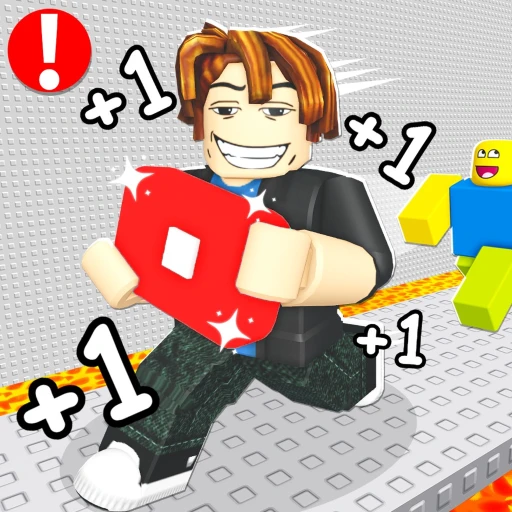
Play Buttons increase Fame earned per step. Use the strongest value visibly confirmed in your own inventory; Pink, Black, Gold, Plasma, Void, Blue, Green, Yellow and higher-sounding names appear in gameplay evidence, but a complete official stat table is not available.

How it works

Use the game’s real progression loop

Play Buttons sit inside the core Fan per Step progression loop. Moving earns Fame, Fame raises levels, and better level progression reaches Fan milestones sooner. The official description states that equipping Play Buttons increases Fame earned per step, so the practical comparison is the boost value the game shows—not color, price, or rarity language by itself.

Recent gameplay evidence showed names including Pink, Black, Gold, Plasma, Void, Blue, Green and Yellow Play Buttons. Transcript wording also suggested Heavenly Light and Divine Heaven variants, but those two names have lower confidence because automatic transcripts can distort on-screen labels. We preserve them as reported names rather than presenting them as an official ordered tier list.

The World 3 event announcement explicitly promises new Play Buttons alongside a new world, skins, balance changes and improvements. That makes any permanent 'best button' answer especially fragile. Check the live inventory stat after the update, compare the displayed Fame-per-step effect, and revisit this guide after the event data is verified.
Step-by-step

Follow this order

  1. 1

    Open your Play Button inventory

    Start with the items your account actually owns. A reported name is not useful if its live effect cannot be inspected.

  2. 2

    Compare the displayed boost

    Use the in-game Fame-per-step value as the deciding signal. Do not infer strength from a color name or Robux price.

  3. 3

    Equip one and test the Fame display

    Walk the same route before and after equipping. Record only the visible result; stacking with Fans and worlds is not yet modeled.

  4. 4

    Recheck after World 3

    New Play Buttons and balance changes can reorder choices. Confirm the item name and effect after the announced update goes live.

If you're stuck

Reset the smallest uncertain step

Confirm movement is registering, check the live item or gate text, and rejoin once before changing several upgrades at the same time. Compare one visible value at a time so you can tell which Fan, Play Button, world, or rebirth state changed the result.

Avoid these

Common mistakes

Treating names as tiers

Gold or Divine wording does not prove a numeric advantage without the live stat.

Combining unknown multipliers

Fan, world, rebirth and Play Button stacking rules are incomplete, so a Fame calculator would guess.

Confusing Diamond Setup

An official Diamond Setup product exists, but its precise relationship to in-world setup progression remains unresolved.

FAQ

Questions players ask

What is the best Play Button?

Use the highest live Fame-per-step value available to your account. We do not have a complete verified stat table.

Do Play Buttons increase Fans?

They are officially described as increasing Fame per step, which may indirectly speed levels and Fan milestones.

Is Diamond Setup a Play Button?

It is an official paid product name, but available evidence does not safely define its exact effect or variant relationship.

Will World 3 add Play Buttons?

Yes. The official World 3 event lists new Play Buttons among its announced features.

Fame guidePlace buttons in the full Fame loop.World 3 watchTrack the announced new buttons.Evidence policySee official versus reported labels.